Want to see Raider King content first? Add us as a preferred source.
Released back in February 2017, Hollow Knight is undeniably one of the most popular indie games out there. Players get to explore the vast kingdom of insects and heroes, encountering multiple enemies and friends along the way. Hollow Knight’s storyline captivates its player like no other game. Additionally, to make Hollow Knight even more exciting, fans have created the Hollow Knight multiplayer mod. This will allow players to experience the gameplay with other players as well. In this guide, we will be helping you with everything you need to know about Hollow Knight multiplayer mod.
Hollow Knight Multiplayer Mod – Download & Install
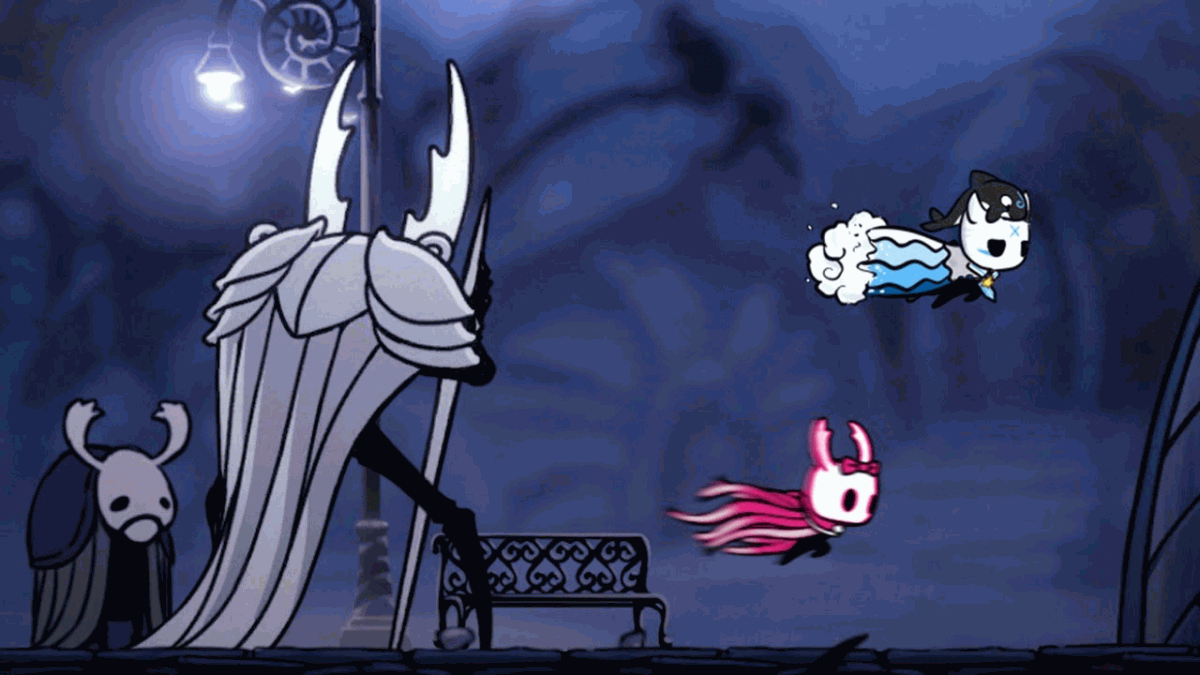
Note: The Hollow Knight multiplayer mod will display the positions and actions of other players on your screen. It will also display their location on your map. You can also fight with other players. However, the mod does not display the position of enemies to you. So it usually gets impossible for players to fight a common enemy. It also does not communicate the stages that players are on. While the one player might not have unlocked Ancient Basin yet, another player might already be there.
Hollow Knight Multiplayer Mod download link:
You can use Scarab to manage the mods. It makes the installation process easier. Here is how to use multiplayer mod:
Firstly, close the Hollow Knight then download and Install Scarab. Now open Scarab and head to the Hollow Knight folder.
For Steam: Find Hollow Knight in your library and right-click. Select manage and browse local files.
For Windows: Right-click three dots located next to the play button. Select manage, go to files, and browse.
GOG: Right-click the symbol located next to the play button. Select Manage Installation and then Show Folder.
Look for HMKP in your folder and install it. Now, open Hollow Knight and you will see mod displayed in the top left corner.
How to Use the Hollow Knight Multiplayer Mod
You will find the mod interface on the top left-right corner when you pause the game. To join a server, add the server details and click Connect.
To play multiplayer, you can join the public servers that are hosted by Dwarfwood. In order to join the main servers, you are required to get an HkmpPouch mod from Scarab along with an updated version of HKMP.
| Server Type | IP Address | Port | Required addons (in Scarab) |
|---|---|---|---|
| Main Server (PVP ON) | hkmp.org | 26950 | HkmpPouch |
| Co-op Server (PVP OFF) | hkmp.org | 26951 | HkmpPouch |
| Server for Tag minigame | tag.hkmp.org | 26950 | HKMP Tag |
And that is all you need to know about Multiplayer Mod for Hollow Knight. Check out other interesting Hollow Knight guides and articles:
- Hollow Knight: Can you Save Myla? Answered
- Hollow Knight: How to Get Double Jump (Monarch Wings)
- Hollow Knight: Progression Guide


