
Want to see Raider King content first? Add us as a preferred source.
Though RoboCop: Rogue City is a first person shooter, Teyon, the game’s developers, have come up with some interesting skins that players can purchase as DLC material. Luckily, there are a lot of cutscenes in this game, where RoboCop talks to various NPCs, you will see the skins in all of their glory during those times. Not only that, you can change the skins for your gun, which you will likely stare at most of the playthrough. However, changing your armor and pistol skins isn’t necessarily very intuitive. So, in this guide, we will show you exactly how to change your armor and pistol skins in RoboCop: Rogue City.
All Skins in RoboCop: Rogue City
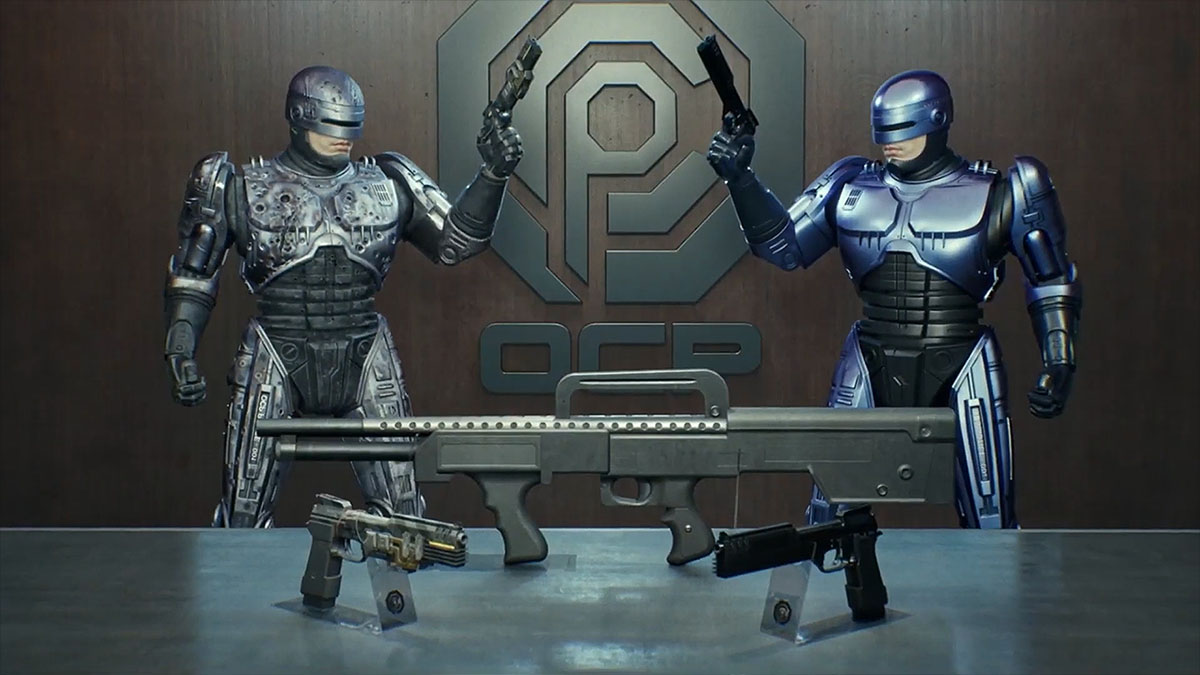
There are three skins you can get for your armor and pistol in RoboCop: Rogue City. One is available in the base game and two are available through DLCs:
- Vanguard Pack – the blue version of RoboCop’s armor from the second movie and a “Pitch Black” skin for your pistol.
- Alex Murphy Pack – the “OCP Shotgun” sidearm, the damaged version of the armor from the first movie, and a “Prototype” version of the Auto-9 weapon.
How to Change Armor and Pistol Skins in RoboCop: Rogue City
Here is exactly how you can change your armor and pistol skins in RoboCop: Rogue City:
- Go to the main menu. If you are in-game, open the pause terminal and “Exit to Menu.”
- Now, open Options and go to the Gameplay tab.
- Right under Difficulty, you will see both the RoboCop Skin and Pistol Skin options. Scroll through them to change the equipped skin.
You can see both skins once you exit the options in the main menu. RoboCop will stand there in his new suit, holding whatever skin you chose for the Auto-9 weapon as well.
There is no way to change the skin while playing, which is not very user friendly but it is the choice that Teyon made for this game.
And that is all you need to know about how to change armor and pistol skins in RoboCop: Rogue City. Check out other interesting RoboCop: Rogue City guides and articles:


